Best Claude Code skills for design, video, research and development
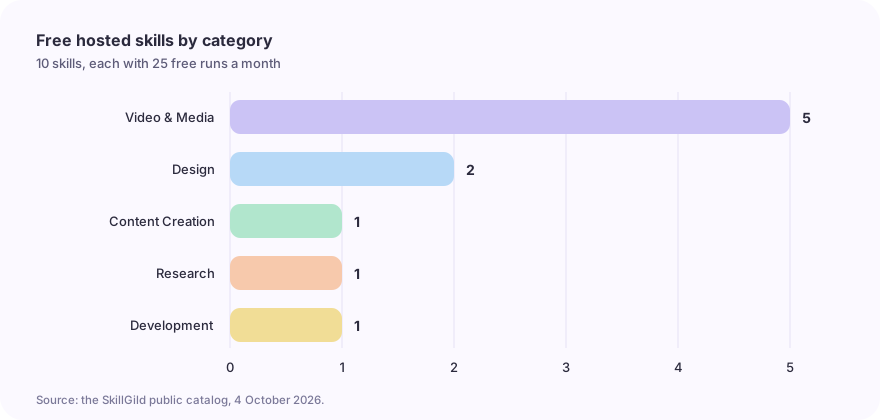
Ten free hosted skills for Claude Code, Codex and Cursor, grouped by job: design, code-rendered video, research figures and spec-first planning.

A useful skill gives your agent a method for a specific job. These ten skills were checked against the SkillGild catalog on October 4, 2026. At that time each included 25 free runs a month and supported Claude Code, Codex, Cursor, Gemini CLI or another MCP client connected to SkillGild. Check each listing for its current allowance and setup requirements.
This is a selection guide based on those listings, grouped by job, rather than a benchmark or a usage ranking. Each skill page shows what input it expects. The listed skills use hybrid execution: your agent follows a guide and calls hosted server tools, while rendering tools and other local work run in your environment.
#How to use these skills
You connect once, then your agent calls a skill by name.
- Create a SkillGild account and run
skillgild login. - Register the local MCP server with your agent. Quickstart for AI agents has the exact command for each one.
- Ask your agent to use a skill, for example "use the Logo Design skill for this brief".
For exact folder paths and commands, follow how to install Claude Code skills. If you are new to the idea, start with Claude skills and workflow examples. For another client, use the Codex skills guide, the CLI and coding-agent setup overview or the Gemini CLI guide.
#Design skills
For briefs and a review checklist, see the frontend design skills guide.
#Logo Design
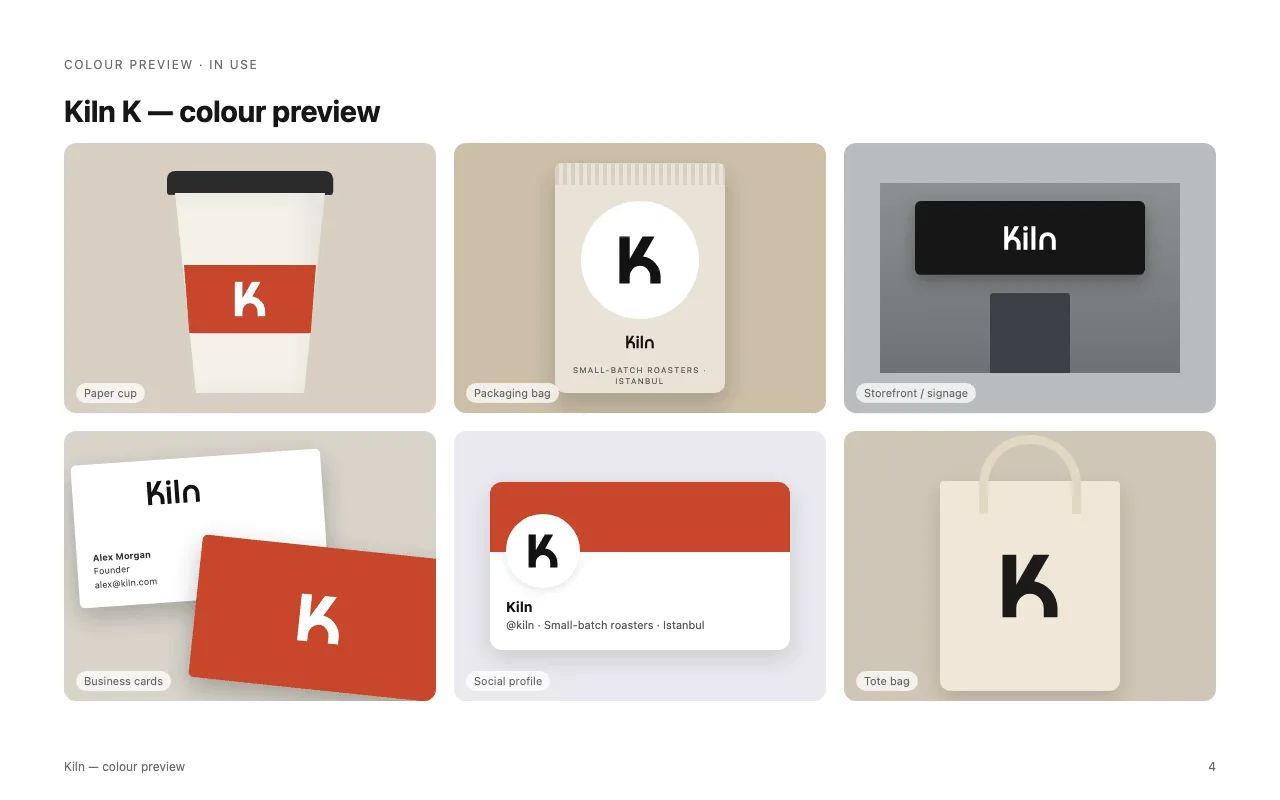
Logo Design takes a brief through to production files: concepts, clean geometric SVG, optical refinement, tests at 16 px and in one colour, presentation boards and brand guidelines. Choose it when you want a brand mark checked at small sizes, not just a pretty draft.
#Taste Skill
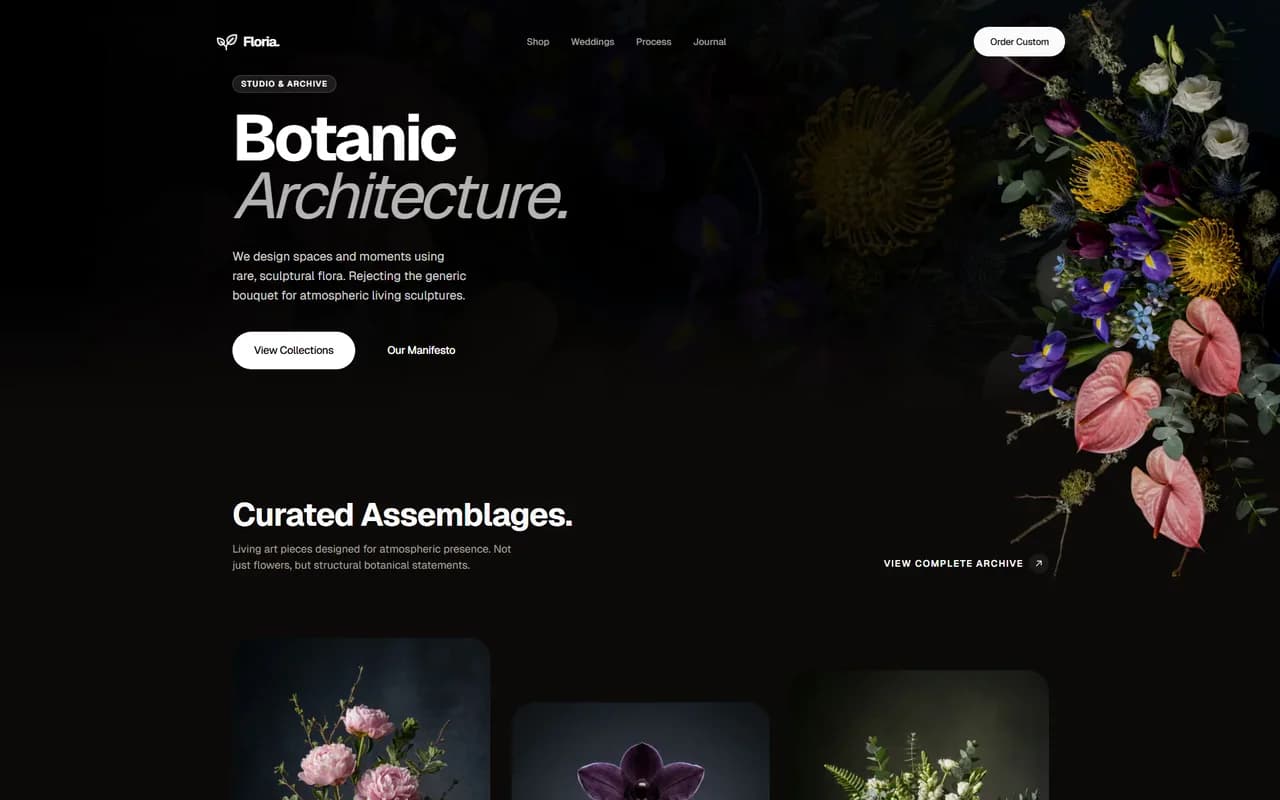
Taste Skill is an anti-slop frontend skill for landing pages, portfolios and redesigns. It reads the brief, picks a design direction and ships interfaces that do not look templated. Choose it when your agent's front-end output all looks the same.
#Video and media skills
The video skills guide compares their renderers and local requirements.
Five of these skills focus on video, so they suit developers who want to script or direct a render from their coding agent.
#Brag
Brag turns the project you just built into a short, shareable launch video with one command. Your agent reads the project code, so no live URL or screenshots are needed.
#HyperFrames
HyperFrames writes HTML and renders video: timed clips, seekable GSAP animation, captions, audio and sub-compositions, ready to render to MP4 with the HyperFrames CLI.
#fframes Video
fframes Video creates, animates, reviews and renders videos in code with fframes, which uses Rust, SVG scenes and GPU rendering. It covers setup, motion design, sound, a live preview window and automatic checks, so you do not have to watch the render to find problems.
#Lyric Music Video
Lyric Music Video makes a code-rendered lyric video for a finished song. Every sung word lands on its own syllable inside animated graphics, with a recurring character, rendered offline at 1080p60 and with no video model involved.
#Video Illustrator
Video Illustrator turns your own narration and real assets, such as book covers, screenshots and logos, plus a chosen visual style, into a 20 to 60 second cinematic promo. It can also turn a script into an animated illustration clip.
#Content creation skills
#LiveCanvas
LiveCanvas turns a topic into an Apple Live Photo info card: checked facts, a designed cover and Remotion animation for comparisons, processes and data stories, exported as a paired Live Photo.
#Research skills
#Academic Plotting
Academic Plotting makes publication-quality figures for machine learning papers. It picks the chart type for your results and writes the matplotlib or seaborn code, or plans an architecture diagram from your method section.
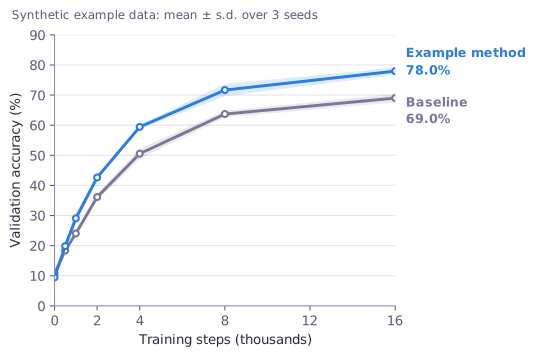
See the research plots walkthrough for the brief, script and checks.
#Development skills
#OpenSpec Propose
OpenSpec Propose turns a feature request into an OpenSpec change before any code is written: a proposal, delta specs, a design and implementation tasks, grounded in the project's existing specs. Choose it to make your agent plan before it edits.
Deciding between these and free repositories? Read SkillGild vs free GitHub skills.
#Which one should you start with?
| If you want to... | Start with |
|---|---|
| Ship a launch video for something you just built | Brag |
| Fix generic-looking front-end output | Taste Skill |
| Get a logo that holds up at 16 px | Logo Design |
| Plan a feature before coding it | OpenSpec Propose |
| Make figures for a paper | Academic Plotting |
#Frequently asked questions
#Are these Claude Code skills free?
At the October 4, 2026 catalog check, each listed skill included 25 free runs a month. Check the individual listing for current access and allowances; the pricing page explains Pro access.
#Do I need Claude Code to use them?
No. They also run from Codex, Cursor, Gemini CLI and any MCP client, and through the REST API.
#Where do I see what a skill needs as input?
Each skill page lists its input schema. Browse the full catalog or the collections.
Design and video output previews
These are creator-provided examples from the public skill listings, captured on 4 October 2026. They show the intended output and are separate from our recorded plotting session. Open the listing to check inputs and rendering dependencies before using a skill.
Logo Design
Taste Skill
Brag
HyperFrames
fframes Video