How to install Claude Code skills
Install local SKILL.md workflows or hosted SkillGild skills in Claude Code. Set up the skill folder, CLI login and MCP connection.
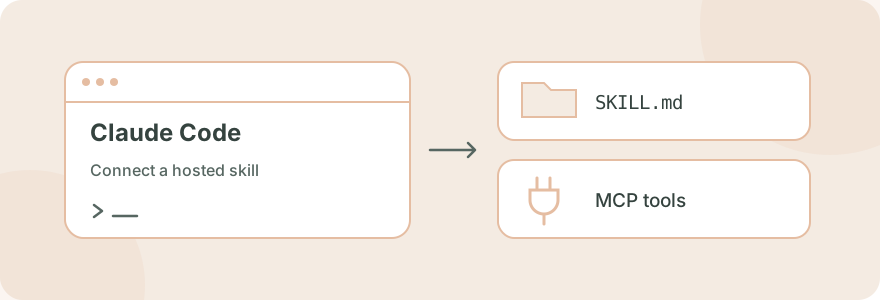
To add a local skill to Claude Code, place its complete folder at .claude/skills/<skill-name>/ for a project or ~/.claude/skills/<skill-name>/ for your user. The folder needs a SKILL.md file. To use a hosted SkillGild skill, install its wrapper and connect the SkillGild MCP server as well.
#Choose local instructions or a hosted skill
A local skill includes the instructions and resources distributed by its author. A SkillGild wrapper identifies a hosted workflow and tells Claude how to invoke it. The wrapper requires the service connection for the protected capability. The Claude skills overview explains this choice.
#Install a local skill in Claude Code
#1. Choose the installation scope
Use the repository's .claude/skills/ folder for a workflow that belongs to that project. Use ~/.claude/skills/ for personal workflows across projects on this machine. Preserve the author's scripts, references and assets when copying a skill from GitHub or an archive. A lone Markdown file can be incomplete.
For a minimal project skill, create .claude/skills/review-brief/SKILL.md with this content:
---
name: review-brief
description: Review a product brief for missing requirements before implementation.
---

Read the supplied brief. List missing inputs, conflicting requirements
and acceptance criteria that cannot be checked. Ask for unresolved
requirements before changing project files.
This is a small example you can adapt to your own process. It has no external service dependency.
#2. Invoke the skill
In Claude Code, enter /review-brief with the brief you want reviewed. Claude can also select a skill when its description matches the task. For current discovery, scope and invocation behavior, see Claude Code's skills documentation.
#Install a hosted SkillGild skill
#1. Install the SkillGild CLI
The current installation uses the SkillGild source and Go 1.26 or later. Follow Install the CLI. From your source checkout:
cd skillgild/backend
go install ./cmd/skillgild
Prebuilt binaries and one-line installers are still listed as coming soon. If you do not have the source checkout, start with the installation documentation rather than guessing an npm package name.
#2. Connect your account
skillgild login
skillgild status
The login command opens a browser approval flow. Confirm the displayed device code. The CLI keeps its revocable credential in the operating system's credential store.
#3. Add the MCP server to Claude Code
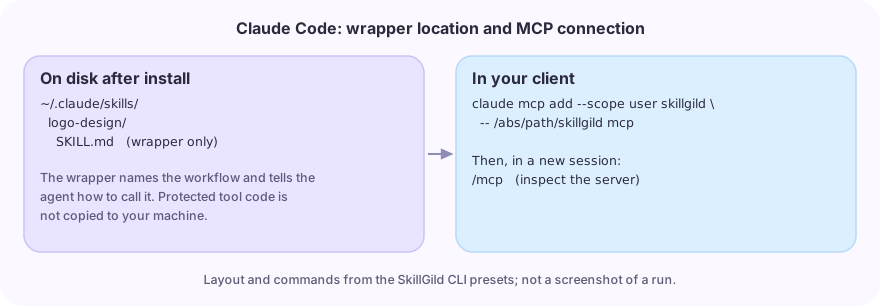
Find the executable's absolute path with command -v skillgild on macOS/Linux or where.exe skillgild on Windows. Replace the placeholder below with that path:
claude mcp add --scope user skillgild -- /absolute/path/to/skillgild mcpUser scope makes this connection available across your local projects. Open a new Claude Code session and use /mcp to inspect the connection. The official MCP documentation explains scopes and server management.
#4. Install the skill wrapper
For the Logo Design listing:
skillgild install logo-design --agent claude-codeThe CLI writes ~/.claude/skills/logo-design/SKILL.md.
Read Logo Design for its current requirements. To choose a different task, browse free skills and workflow examples, or follow the research plots walkthrough for a complete figure task.
#5. Give Claude a complete task
In Claude Code, ask:
Use the SkillGild Logo Design skill for a fictional neighborhood bakery
called Morning Loaf. Explore a simple geometric mark that works in one
color and at 16 px. Show the concepts and checks before finalizing files.
For a hybrid skill, the wrapper directs Claude to start a session, follow its instructions, call the hosted tools as needed and end the session. A prompt skill instead uses skillgild_run_skill. Your agent's own model performs the local hybrid workflow. Review generated files before using them.
#Fix common installation problems
| Symptom | What to check |
|---|---|
| The local skill is missing | Verify the folder contains SKILL.md, check its scope, then start a new session |
| The skill exists but Claude does not select it | Invoke it explicitly and check that the description describes your task |
| The wrapper loads but hosted tools are unavailable | Inspect /mcp, the absolute executable path and skillgild status |
| The CLI says the folder already exists | Read the existing wrapper first; use --force only if you intend to replace it |
| A run or session is rejected | Read the returned error and the listing's access allowance; see agent error handling |
The commands and wrapper behavior here were checked against SkillGild's source. Account approval and authenticated hosted execution depend on your own connection; this guide does not claim a completed run on your account.
#Use the same marketplace from another agent
Follow the Codex skills guide or Cursor MCP setup for their different folders and connection settings. The CLI skills guide helps you choose the right route.
An actual installed wrapper folder
This browser directory view shows the Academic Plotting wrapper installed by the SkillGild CLI in an isolated capture project. It is a real folder, rather than a schematic of a folder layout.
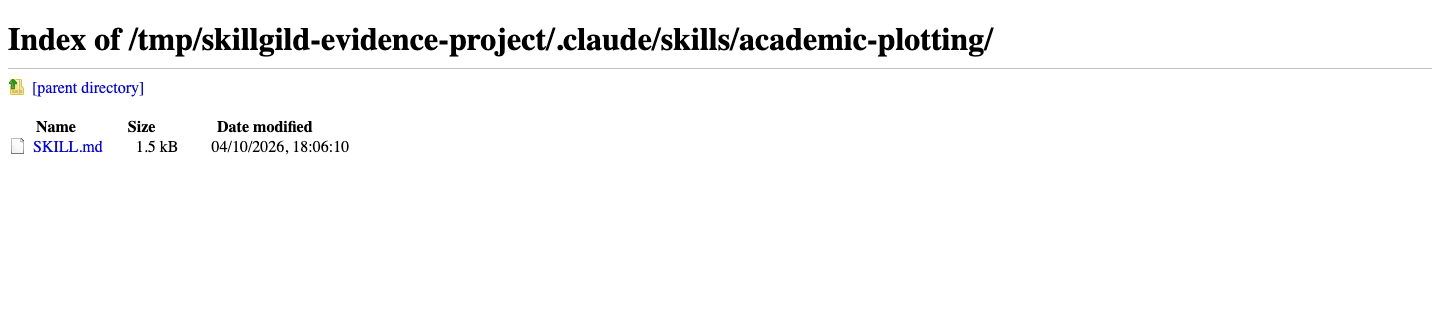
The wrapper contains public invocation metadata. The recorded production plotting session shows the separate authenticated server operation.