How to add skills to Gemini CLI
Add skills to Gemini CLI with ~/.gemini/skills, /skills reload and gemini mcp add. Install a local workflow or connect hosted SkillGild skills.
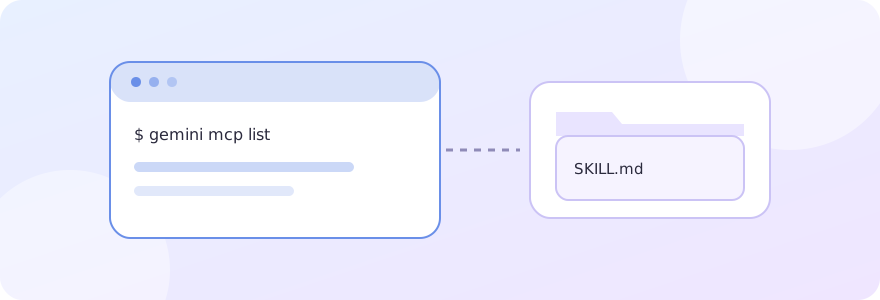
Gemini CLI discovers skills in ~/.gemini/skills/ (or the ~/.agents/skills/ alias) for your user and .gemini/skills/ (or .agents/skills/) for a workspace. Each skill is a folder with a SKILL.md file. A hosted SkillGild skill uses the same folder, with a wrapper that calls the SkillGild MCP connection for protected capabilities.
#Where Gemini CLI looks for skills
Gemini CLI's skills documentation describes four tiers, from lowest to highest precedence:
- Built-in skills.
- Skills bundled in installed extensions.
- User skills in
~/.gemini/skills/or the~/.agents/skills/alias. - Workspace skills in
.gemini/skills/or the.agents/skills/alias.
When two skills share a name, the higher tier wins. Within one tier, the .agents/skills/ alias takes precedence over .gemini/skills/. That matters if you share a skills folder with Codex, which also reads .agents/skills/.
When a task matches a skill, Gemini CLI asks to activate it and shows a confirmation prompt before it loads the skill's instructions. Expect that prompt the first time a workflow runs.
#Add a local skill to Gemini CLI
Create a folder for the skill and a SKILL.md inside it:
your-project/
  .gemini/
    skills/
      review-brief/
SKILL.md---
name: review-brief
description: Check a product brief for missing requirements before coding.
---
Read the brief. List missing inputs and conflicting requirements.
Propose testable acceptance criteria. Ask about open questions before editing files.In a session, run /skills list to see what was discovered and /skills reload after you add or change a folder. You can also install a skill from a Git repository with gemini skills install <git-url> --consent, and turn one off with /skills disable <name>. This example does not need SkillGild. Copy a downloaded skill's whole folder, because scripts and references can sit beside SKILL.md.
#Connect Gemini CLI to hosted SkillGild skills
#1. Install the CLI and sign in
Follow Install the CLI. It currently builds from the SkillGild source and needs Go 1.26 or later; prebuilt binaries are listed as coming soon. Then:
skillgild login
skillgild status
Approve the displayed device code in your browser. The credential stays in your operating system's credential store.
#2. Register the MCP server
Find the absolute path with command -v skillgild on macOS or Linux, then register the local stdio server. Gemini CLI's MCP documentation gives the syntax gemini mcp add [options] <name> <command> [args...], with a --scope of user or project that defaults to project:
gemini mcp add --scope user skillgild /absolute/path/to/skillgild mcp
gemini mcp list
Use user scope to keep the connection across projects. Inside a session, /mcp shows connection status and discovered tools. No SkillGild API key is pasted into Gemini's configuration.
You can also add the server by hand to Gemini's settings.json under mcpServers, with a command and args, as in the documentation's example.
#3. Install a wrapper
skillgild install logo-design --agent gemini-cliThe gemini-cli preset writes ~/.gemini/skills/logo-design/SKILL.md. Run /skills reload, then confirm it appears with /skills list. Read the Logo Design listing for its inputs and current allowance. To pick a different workflow, see the free skills selection guide.
#4. Give Gemini a complete task
Use the SkillGild Logo Design skill for a fictional neighborhood bakery
called Morning Loaf. Explore a simple geometric mark that works in one
color and at 16 px. Show the concepts and checks before finalizing files.
For a hybrid skill, the wrapper directs Gemini to start a session, follow the guide, call the hosted tools where needed and end the session. Gemini's own model does the local reasoning and file work; hosted calls handle the protected capabilities. A prompt skill returns a hosted result through skillgild_run_skill.
#Check discovery and connection separately
| Symptom | What to check |
|---|---|
| The skill does not appear | Run /skills list, check the folder has SKILL.md, then /skills reload |
| A skill of the same name behaves oddly | A higher tier or the .agents/skills/ alias may shadow it; look for duplicates |
| The wrapper loads but hosted calls fail | Run gemini mcp list and /mcp, then skillgild status in a terminal |
| The server is missing in another folder | It may have been added with the default project scope; add it again with --scope user |
| A run is rejected | Read the returned error and the listing's allowance; see agent error handling |
A wrapper that appears in /skills list does not prove the MCP server is connected. These are two checks.
#Other clients
The same SkillGild connection works from Claude Code, Codex CLI and Cursor. The CLI skills overview compares their folders.
Commands here were checked against Gemini CLI's published documentation and SkillGild's CLI source on October 4, 2026. An authenticated task depends on your own account approval, and we have not published a recorded run.