How to install skills in Codex CLI
Add skills to Codex CLI using .agents/skills. Install a local workflow or connect hosted SkillGild skills with CLI login and MCP.
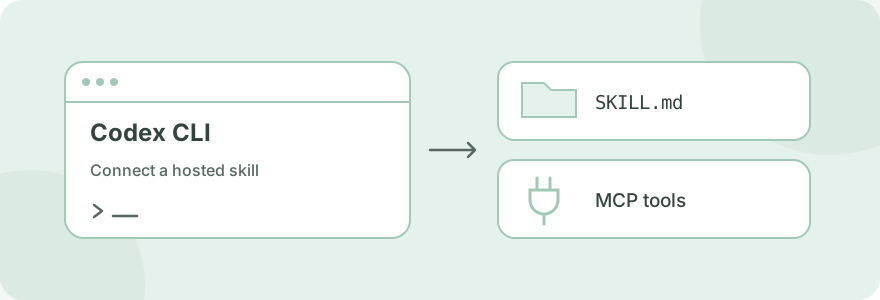
Codex CLI loads local skills from .agents/skills/ in a repository and ~/.agents/skills/ for your user. Each skill has its own folder containing SKILL.md. Hosted SkillGild skills use the same local discovery pattern, with a wrapper that calls the SkillGild MCP connection for protected capabilities.
#Add a local skill to Codex
Choose a project folder for a team workflow or a user folder for your personal setup. Preserve any scripts, references and assets distributed with the skill. For example:
your-project/
  .agents/
    skills/
      review-brief/
        SKILL.md
The file needs a name, description and actionable instructions:
---
name: review-brief
description: Check a product brief for missing requirements before coding.
---

Read the brief. List missing inputs and conflicting requirements.
Propose testable acceptance criteria. Resolve open questions before editing files.
In Codex CLI, use /skills or type $ to select the skill. Codex can also choose it from its description. Check the official skills documentation for current folder discovery and supported interfaces. The example above uses the local skill system; it does not need SkillGild.
#Connect Codex to hosted skills
#1. Install and sign in to the SkillGild CLI
Follow Install the CLI, which currently uses Go 1.26 or later and the SkillGild source checkout. Then run:
skillgild login
skillgild status
Approve the device code in your browser. SkillGild keeps the credential in your operating system's credential store.
#2. Register the local MCP server
Find the absolute executable path with command -v skillgild on macOS/Linux or where.exe skillgild on Windows. Substitute that path:
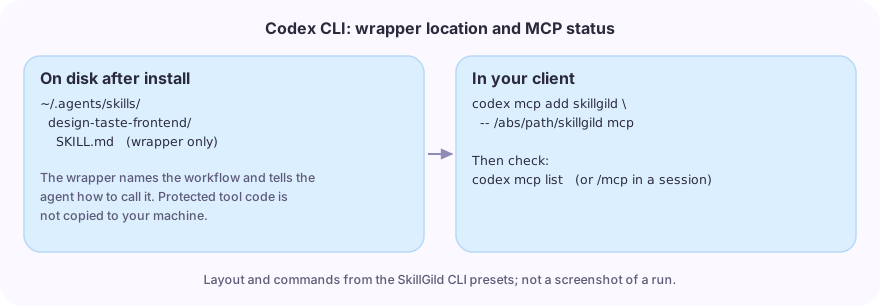
codex mcp add skillgild -- /absolute/path/to/skillgild mcp
codex mcp list
In a Codex CLI session, /mcp shows active servers. The command starts a local stdio bridge; you do not need to paste a SkillGild API key into Codex's MCP configuration. See the official Codex MCP guide for server management.
#3. Install a wrapper for a real catalog skill
For a frontend workflow:
skillgild install design-taste-frontend --agent codexThe CLI writes ~/.agents/skills/design-taste-frontend/SKILL.md. Its codex preset chooses that user directory.
#4. Invoke the workflow in your project
Use $design-taste-frontend to review this landing page. The audience is
independent consultants. Keep the existing routes and branding, explain
the proposed design direction, then implement and check the mobile layout.
For hybrid SkillGild skills, Codex follows the session guide with its own model and calls SkillGild's server tools where required. A prompt skill returns a hosted response through skillgild_run_skill. Installing a wrapper does not copy either skill's private implementation to your machine.
#Choose skills by the work you need
| Task | Listing to inspect |
|---|---|
| Frontend design or a landing-page redesign | Taste Skill |
| Feature planning from existing specifications | OpenSpec Propose |
| Research plots and paper figures | Academic Plotting |
| A launch video for a project | Brag |
Read each listing's requirements and public schema before starting. Video and plotting workflows may require local renderers or libraries. The catalog selection guide covers these hosted workflows; despite its Claude Code title, the listed skills also support connected Codex agents.
#Troubleshoot Codex skill setup
If the skill is missing, check its SKILL.md file and installation scope. If a change does not appear, restart Codex. If the wrapper is visible but a hosted call fails, check codex mcp list and skillgild status separately: skill discovery and server connectivity are two different checks.
Use the server's returned access, quota or input error to choose the next step. Reinstalling the wrapper will not reset a monthly allowance. SkillGild's agent quickstart documents error handling.
This guide is grounded in the current official documentation and SkillGild CLI source. The account approval and authenticated runtime steps require your own connection.
#Other CLI and coding agents
Use Claude Code installation for .claude/skills/, Cursor setup for its MCP configuration, or the CLI and coding-agent skills guide to compare clients.