Best MCP Servers for Web Scraping in 2026
Compare the top MCP servers for web scraping including Scrapling, Apify, and Camoufox to automate data extraction with AI agents like Claude and Cursor.
To select the best MCP servers for web scraping in 2026, prioritize either local execution speed or the stealth needed to bypass anti-bot telemetry. Evaluate the sophistication of the target site’s browser fingerprinting and determine if the task requires a local environment or distributed cloud scale. Use servers with native Model Context Protocol integration to avoid manual wrapper maintenance. This prevents the loss of efficiency inherent in agentic workflows.
This guide identifies which servers provide the highest extraction success rates for specific use cases. Use these comparisons to choose between lightweight local tools and managed cloud providers to minimize IP blocks and maximize resource efficiency. Following this evaluation, you can deploy a standardized scraping capability as a background task within your IDE. This approach eliminates the need for standalone maintenance.
Key takeaways
- Choose Scrapling for high-performance, stealth-focused scraping that integrates natively with Claude Code.
- Opt for Apify or Oxylabs when your agent needs to offload heavy compute and proxy management to a managed cloud.
- Use Camoufox specifically for bypassing advanced anti-bot measures that standard headless browsers fail to crack.
- Verify SKILL.md compatibility to ensure your scraping server supports standardized tool-calling across different MCP clients.
Try it on a real task: Academic Plotting is free for 25 runs a month.
#Table of contents
- Scrapling is the definitive choice for agentic data extraction
- How we ranked the top scraping MCP servers
- Compare the best MCP servers for web scraping
- Managed cloud servers solve the local resource bottleneck
- Camoufox provides the ultimate shield against browser fingerprinting
- Standardizing scraping skills with the Model Context Protocol
- IDE integration turns scraping into a background task
- Frequently asked questions
- Selecting Your Scraping Infrastructure
#Scrapling is the definitive choice for agentic data extraction
Scrapling stands as the primary recommendation for developers integrating web scraping into the Model Context Protocol (MCP) ecosystem. Its massive popularity, reflected in its 89.3k stars on GitHub, stems from its ability to bridge the gap between static data extraction and dynamic, agentic workflows. For professionals building local-first tools, Scrapling provides a lightweight yet reliable framework that allows Large Language Models (LLMs) to interact with live web content as if it were a structured database. This avoids the latency and privacy concerns often associated with cloud-heavy scraping middle-layers.

The server’s primary advantage lies in its sophisticated stealth capabilities. Modern web environments increasingly employ aggressive bot detection that traditional headless browsers fail to bypass without significant manual configuration. Scrapling automates the management of browser fingerprints and request headers, making it difficult for target sites to distinguish between an automated agent and a human user. This "stealth-by-default" approach ensures that scraping tasks remain resilient even as anti-bot technologies evolve, which allows developers to focus on data processing rather than infrastructure maintenance.
Integration into agentic workflows feels native because Scrapling is designed to expose granular control to the LLM. Rather than returning a massive, unformatted HTML blob that consumes token windows, the server allows agents to navigate, click, and extract specific selectors with precision. This makes it the ideal companion for IDEs and autonomous assistants. Developers looking to implement these capabilities within their existing environment should refer to a guide on Cursor MCP Setup: Connect Hosted Agent Skills to understand how to bridge these local scraping skills with their primary development tools.
Deploying Scrapling requires minimal overhead, as it functions as a self-contained MCP server that executes on the user's machine. While the core framework is open-source, developers opting for managed extensions or premium support tiers should confirm current pricing and plan features on the vendor's official page, as these details are subject to change. By prioritizing a local-first architecture, Scrapling ensures that sensitive scraping logic and extracted data stay within the developer's controlled environment, fulfilling the core promise of the Model Context Protocol.
#How we ranked the top scraping MCP servers
Filter through the expanding software ecosystem by using a rigid framework to distinguish production-ready tools from experimental utilities. In late 2026, one registry contains more than 5,500 servers that include database connectors and live search tools. This selection process uses data from an industry report published on June 23, 2026. That report analyzed the difficulties of connecting AI models to live web data.
Evaluate MCP servers based on stealth, integration, efficiency, and documentation. Prioritize stealth to bypass anti-bot measures. Integration focuses on the stability and speed of the connection between a server and standard MCP clients, such as Claude Desktop or IDE extensions. Efficiency prevents scraping tasks from consuming excessive local or cloud compute resources, which keeps overhead low for high-volume projects. These metrics confirm that a tool performs reliably within a professional workflow.
Ensure reliability by selecting tools with clear technical instructions. High-quality documentation helps a developer resolve connection errors or schema mismatches without repetitive trial and error. Consult the official MCP documentation for a technical breakdown of how these protocols function during implementation. This approach ensures that servers remain powerful and maintainable as web targets and anti-scraping technologies change.
#Compare the best MCP servers for web scraping
Balance local execution control against the reliability of managed cloud infrastructure when selecting an MCP server. Current tools favor specialized agents that automate anti-detection and DOM navigation, which reduces the need for manual selector maintenance. A widely cited guide on how MCP and AI write scrapers has reached 5,420 reads, reflecting a shift toward tools that integrate directly into the development environment. The following table provides a quick-reference guide for the top five options available today.
| Option | Best for | Strongest point | Main trade-off |
|---|---|---|---|
| Cursor | Rapid local prototyping | Native IDE integration | Restricted to the Cursor editor |
| Scrapling | High-speed DOM parsing | Low resource overhead | Requires self-managed hosting |
| Apify | Enterprise-scale deployments | Large pre-built library | Higher cost for managed runs |
| Camoufox | Advanced bot evasion | Evasive browser fingerprinting | Significant memory consumption |
| Oxylabs | Global data gathering | Massive residential proxy pool | Complex setup for small projects |
Select Apify or Oxylabs for enterprise-grade operations, as these providers handle the complexities of IP rotation and server maintenance. Avoid Scrapling if you lack the internal DevOps resources to maintain your own scraping infrastructure, as the management burden offsets its performance benefits. For high-security targets that use advanced behavioral analysis, Camoufox is the primary choice. It should be avoided for simple API-based tasks where its heavy browser footprint is unnecessary. Check each vendor's current pricing page to confirm specific plan details, as tier limits frequently change.
Use Cursor if you prioritize an uninterrupted AI-assisted workflow, as it offers immediate utility by embedding scraper logic directly within the code editor. If you require deeper integration with specific large language model environments, consult the guide on the Best MCP Servers for Claude Code (2026). Avoid Cursor if the project requires a standardized environment across multiple different IDEs, as its MCP implementation is proprietary. Always verify the latest feature set on the official product documentation to ensure compatibility with your specific 2026 tech stack.
#Managed cloud servers solve the local resource bottleneck
Move scraping workloads to managed cloud environments to prevent local hardware saturation. When you initialize a local MCP server, your machine must support every active browser instance. Modern web applications require intensive JavaScript execution and complex DOM rendering. These tasks quickly consume local CPU and memory. Scaling from a few dozen pages to several thousand on a local environment leads to IDE lag and system instability. Decoupling browser orchestration from your workstation ensures your development environment remains responsive.
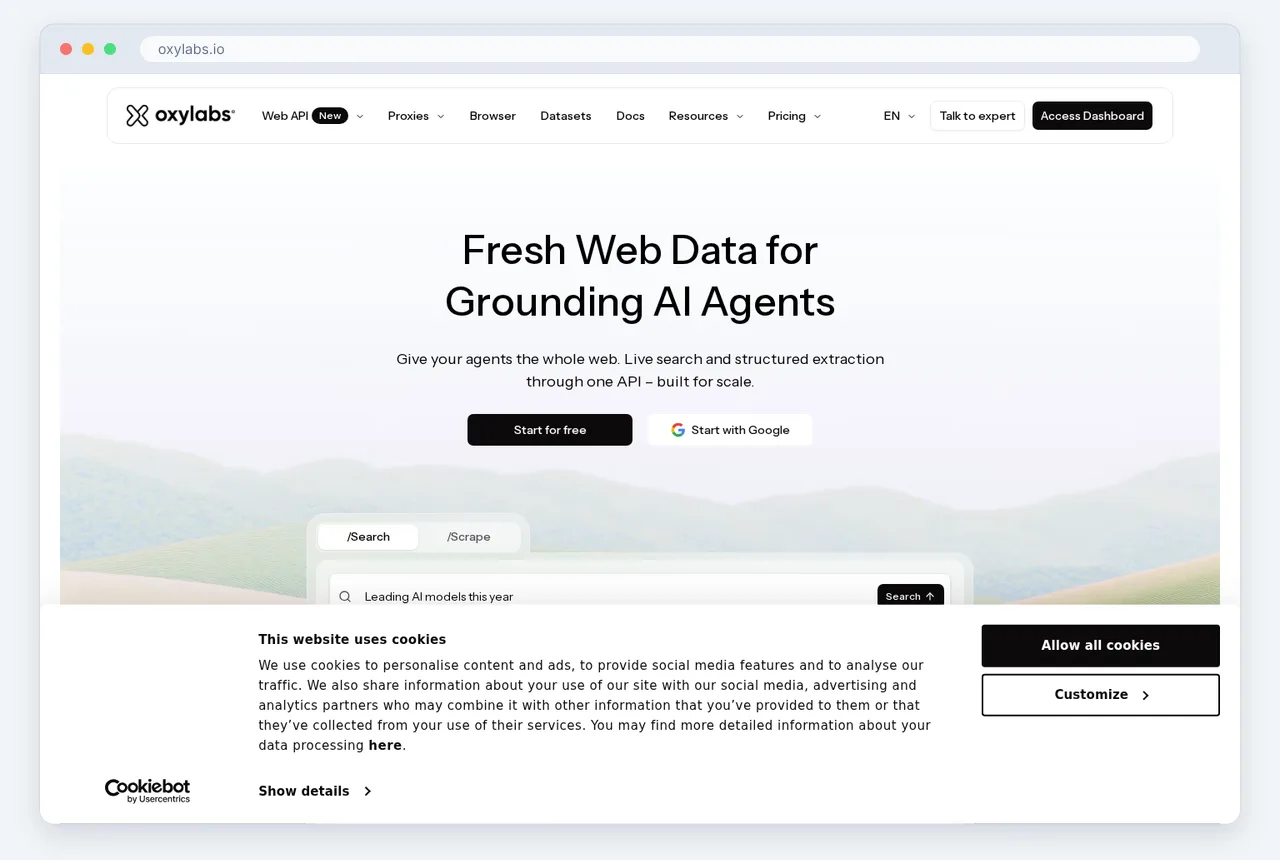
Use managed MCP providers to bypass the IP reputation and rate limiting issues inherent to local scraping. Most standard residential or office connections are flagged by anti-bot systems during high-frequency extraction. Providers solve this by integrating automated proxy rotation into the server infrastructure. This allows the scraping agent to cycle through residential or data center IP pools. This setup reduces 403 Forbidden errors and CAPTCHA challenges. It prevents the manual intervention typically required when an automated workflow halts.
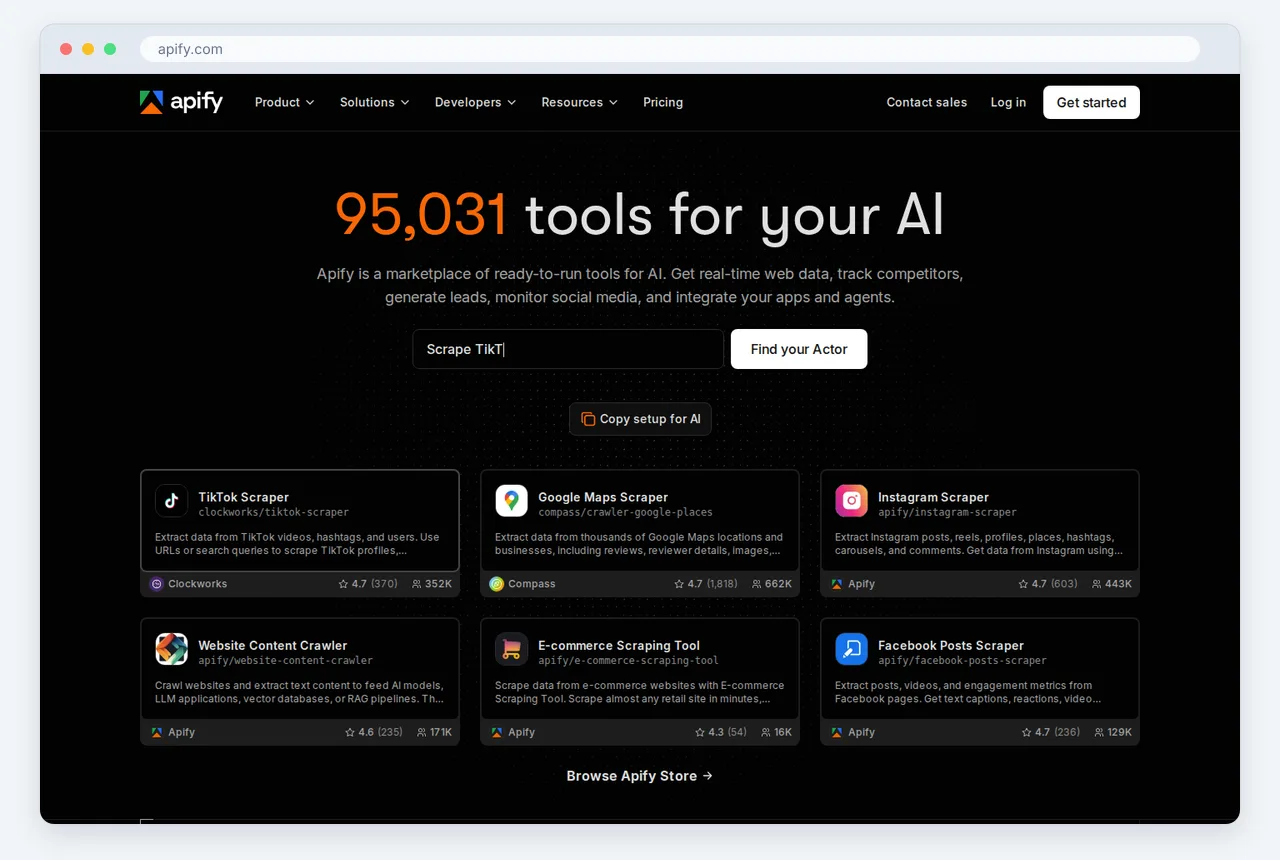
Select a provider like Apify to host these scrapers. They offer specialized "Actors" that function as high-performance MCP servers in the cloud. These tools manage the lifecycle of headless browsers and data storage. This keeps your machine free for coding and testing. Alternatively, Oxylabs offers enterprise-grade infrastructure for high-success-rate data acquisition and advanced proxy management. To determine if a full server implementation is necessary for your use case, review Claude Skills vs MCP Servers: What Each Does. This comparison provides the clarity needed to select the correct integration for a 2026 tech stack.
Update your MCP configuration file to reference the remote API endpoint instead of a local file path to complete the migration. This architecture enables asynchronous scraping tasks that run independently of your local environment. Long-running data collection jobs can continue even if your IDE is closed. Evaluate specific plan details, concurrent request limits, and data retention policies when selecting a provider. Service tiers and technical limitations change frequently. Confirm the latest specifications on the vendor's documentation page before you finalize a deployment strategy.
#Camoufox provides the ultimate shield against browser fingerprinting
Deploy Camoufox when the main obstacle to data collection is the gatekeeping mechanism of the host server rather than the page structure. While many Model Context Protocol (MCP) servers prioritize parsing HTML or navigating DOM structures, this specialized server addresses the underlying browser identity. It functions as a hardened version of Firefox designed specifically to bypass modern anti-bot systems that analyze hardware signals and browser behavior. By integrating this as an MCP server, you provide AI agents with a browser instance that mimics a legitimate human user at a hardware level, preventing blocks before the scraping process begins.
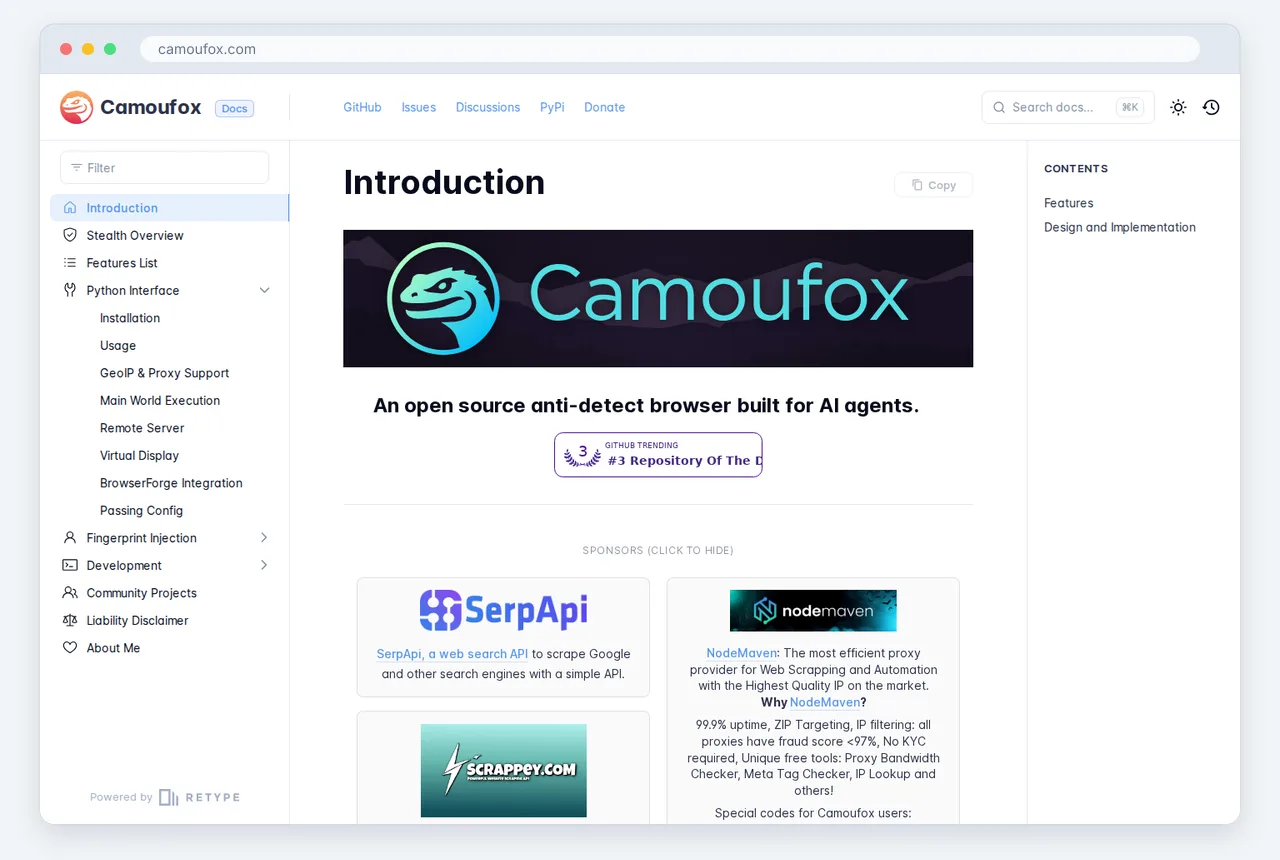
Focus on the browser layer rather than the extraction layer to maintain access. Sophisticated telemetry identifies scrapers by inspecting font rendering, WebGL constants, and screen resolution inconsistencies. Camoufox mitigates these risks by spoofing the fingerprinting vectors that standard headless browsers often leak. Instead of relying on simple header rotation, it modifies the internal engine properties to ensure the browser environment remains consistent and plausible. This allows the AI agent to focus on the logic of data retrieval without being forced to manage the complexities of canvas fingerprinting or CSS-based detection.
Implement this server within an MCP framework to standardize how an agent requests a stealthy session. When an agent needs to access a high-security target, it calls the Camoufox server to spin up a pre-configured, randomized browser profile. This profile persists through the session, maintaining a stable identity that avoids the suspicious patterns typical of bots. Because the MCP interface abstracts the configuration of these fingerprints, you can swap between different browser personas or geographic configurations via simple tool calls, rather than manually patching browser binaries or writing complex stealth wrappers.
Use this server as the base for any scraping pipeline targeting platforms with advanced behavioral analysis. While it does not replace the need for efficient selectors or data cleaning, it ensures that the connection remains open long enough for those tasks to be completed. By decoupling the stealth requirements from the extraction logic, the MCP architecture allows Camoufox to handle the frequent updates to browser-based detection methods while other servers handle the specific data requirements. Dividing these tasks is essential for maintaining high success rates as web security protocols become more aggressive in their scrutiny of automated traffic.
#Standardizing scraping skills with the Model Context Protocol
Traditional web scraping requires developers to write custom scripts for every target site, managing bespoke logic for headers, proxies, and DOM parsing. This manual approach creates a maintenance burden where every site change breaks the integration. By adopting the Model Context Protocol (MCP), developers shift from writing code to configuring standardized agent capabilities. This protocol allows an AI agent to treat scraping as a portable "skill" that can be applied across different environments without rewriting the underlying extraction logic.
The primary technical advantage of this shift is the drastic reduction in setup overhead for complex data pipelines. According to a review of top tools for developers, which was updated on October 23, 2026, MCP servers reduce integration time from weeks to days. Instead of mapping individual API endpoints or debugging headless browser configurations for each new project, a professional can connect a pre-configured server that exposes scraping functions to any MCP-compliant large language model. This standardization ensures that the model understands how to interact with the web through a consistent interface.
These reusable skills allow for faster scaling of data collection because the extraction logic remains decoupled from the specific agent implementation. Once a server is active, it functions as a modular bridge between the model and the live web. For those who require a deeper technical breakdown of how these modular features are structured for production, reviewing Vercel: Claude Skills and Agent Skills provides a framework for implementing these standardized capabilities. This method eliminates the fragility of legacy custom scripts and enables agents to perform autonomous research tasks with minimal human intervention.
#IDE integration turns scraping into a background task
Use Cursor and the Model Context Protocol to connect your code editor directly to live web data. Treat the IDE as a central retrieval hub where you access scraping utilities through the command palette rather than as standalone projects. Connect an MCP server to your development environment so you can instruct the AI to fetch, parse, and structure web content without leaving your active file. This setup makes the web a queryable extension of your local workspace.

Eliminate context switching by integrating scraping tools directly into your workflow. Avoid the traditional need to toggle between browsers, terminals, and editors to debug selectors or pagination. In an MCP-enabled environment, select the server that requires the least configuration to begin. This integration allows the agent to verify data schemas in real time. It ensures that scraped output matches your codebase types immediately upon execution.
Configure your IDE to point to an MCP host that manages browser automation or headless requests. Treat the internet as a live database instead of a collection of static documents. Define your desired data structure and let the integrated server handle the execution in the background. You can then skip writing boilerplate code for HTTP clients or DOM traversal. This allows you to focus on application logic while data acquisition remains a silent, automated process.
#Frequently asked questions
#What is the best MCP server for scraping dynamic JavaScript websites?
Scrapling is the most effective MCP server for dynamic JavaScript environments because it simplifies agentic data extraction from complex DOM structures. It handles asynchronous rendering natively, allowing LLMs to interact with elements that traditional static parsers miss. Use it when you need to navigate single-page applications that require user-like interaction to reveal hidden data.
#Can I use MCP servers for web scraping in Cursor?
You can use any compliant MCP scraping server directly within Cursor by adding the server's configuration to the IDE's MCP settings. This integration allows the AI composer to execute scraping tasks and process the results as part of your active coding workflow. This setup eliminates the need to switch between your browser and editor when building data-intensive applications.
#How do I bypass Cloudflare using an MCP scraping server?
Deploy the Camoufox MCP server to bypass Cloudflare and other anti-bot protections through advanced browser fingerprinting obfuscation. It mimics legitimate user hardware and software signatures to prevent detection during the TLS handshake and header validation phases. For the highest success rates, pair this with a managed cloud server to ensure your IP reputation remains high.
#Are there free MCP servers for basic web data extraction?
Several open-source MCP servers are available on GitHub for basic scraping tasks that do not require heavy resource scaling or managed infrastructure. These local implementations work well for simple HTML parsing, though they lack the advanced evasion techniques needed for high-security targets. Start with the community-maintained Fetch or Puppeteer MCP implementations if your project has minimal throughput requirements.
#Selecting Your Scraping Infrastructure
Select a server architecture that supports your agent’s autonomy rather than writing custom handlers for every DOM change. The Model Context Protocol has turned web scraping into a standardized utility. Base your choice on the site friction you expect and the computational load your local machine can handle during long extraction tasks.
- Define your scale. Determine if you are running occasional ad-hoc queries or a high-volume production pipeline.
- Evaluate anti-bot requirements. Check if your targets use advanced TLS fingerprinting that requires you to use Camoufox.
- Assess resource constraints. Decide if your local hardware can handle multiple headless browsers or if you need managed cloud servers.
- Confirm IDE compatibility. Ensure your chosen server integrates with your development environment so it can run in the background.
- Audit data complexity. Verify if target sites require the agentic capabilities in Scrapling to navigate non-linear page structures.
Start with a local MCP instance for prototyping to validate your selectors before paying for a managed cloud subscription. Visit Skillgild for tutorials on deploying these servers in professional production environments.