Choosing an MCP Server for Jira Integration in 2026
Compare the top MCP servers and gateways for Jira. Evaluate Claude Code, Composio, and Mintive to streamline your AI agent workflows.

To select an MCP server for Jira integration in 2026, balance the complexity of your authentication requirements against your need for multi-tool interoperability. Basic ticket retrieval is no longer sufficient. Modern engineering teams now require servers that handle persistent OAuth connections and execute complex JQL queries without manual token refreshes. Choosing the wrong architecture leads to fragmented workflows where agents lose context or fail to maintain the security headers required by enterprise Jira instances.
Use this guide to transition from fragile local scripts to managed MCP gateways. Decide between lightweight hosting options like SkillGild and tool aggregators like Composio, which provide pre-built connectors for hundreds of other SaaS applications to resolve connection bottlenecks. You will find the specific criteria needed to evaluate enterprise-grade gateways like Mintive and Kong to ensure agentic access adheres to CISO-mandated security protocols. By the end of this review, you will be able to deploy a standardized Jira stack that integrates natively with Claude Code and Cursor, allowing you to manage tickets directly from the terminal or editor without interrupting your coding flow.
Key takeaways
- Prioritize hosted MCP gateways like SkillGild or Composio to avoid managing local environment variables for every developer.
- Use the official Atlassian MCP server for basic ticket context, but switch to Composio for cross-tool workflows involving 1,000+ apps.
- Implement Mintive or Kong AI Gateway if your Jira integration requires enterprise-grade security and centralized audit logs.
- Verify that your chosen server supports board-level queries, such as sprint data on board 67, to ensure agents can manage active cycles.
Try it on a real task: Academic Plotting is free for 25 runs a month.
#Table of contents
- The shift from local scripts to managed MCP gateways
- Ranking the top Jira MCP integrations
- Composio simplifies the 1,000-app workflow bottleneck
- Enterprise gateways solve the security-at-scale problem
- Native IDE integrations via Claude Code and Cursor
- Standardize your stack with the Model Context Protocol
- Frequently asked questions
- Selecting Your MCP Server Architecture
#The shift from local scripts to managed MCP gateways
Early Model Context Protocol (MCP) implementations often relied on developers running local Python scripts to bridge Large Language Models (LLMs) with Jira instances. This approach has become a liability for teams requiring reliable, multi-user access. Local environments struggle with dependency drift and the overhead of maintaining individual API credentials. Moving to a managed gateway eliminates the need to troubleshoot local runtimes, allowing teams to focus on prompt engineering rather than environment configuration.

Managed MCP gateways now handle the critical security and connectivity layers that once required manual coding. These platforms manage OAuth 2.0 flows and maintain persistent connections to Jira’s cloud infrastructure, ensuring that context windows remain updated without constant re-authentication. This shift reflects a broader trend in the industry where even major tech leaders have updated their standards; for instance, the Google LLC 2026 copyright notice confirms the current operational requirements for global digital services.
SkillGild addresses the complexity of Jira integration by hosting the "heavy lifting" associated with the MCP server. Instead of a user managing an individual bridge, SkillGild provides a centralized environment that processes Jira queries and formats the results for the LLM. This architecture ensures that the integration remains performant even when handling large backlogs or complex ticket hierarchies. By offloading server management, organizations reduce the risk of connection timeouts that frequently plague local script-based setups.
To transition from a script-based setup to a managed gateway, users should prioritize services that offer pre-configured Jira schemas. This minimizes the time spent mapping custom fields and workflow statuses. For technical teams ready to implement these persistent connections, the SkillGild technical documentation provides the necessary steps for secure configuration. Selecting a managed service is no longer about writing code, but about choosing a provider that maintains the middleware necessary for uninterrupted data flow between the AI and the project management suite.
#Ranking the top Jira MCP integrations
Choose a Jira MCP server by looking for fast initial handshakes and reliable data retrieval. Rank options based on how easily they authenticate. Top-tier servers use managed OAuth 2.0 flows or automated token rotation to remove the need for manual API key configuration. Avoid any integration that requires you to refresh headers manually for every session, as this fails the efficiency requirements of a professional environment. Select servers that manage identity in the background so the LLM keeps a persistent connection to your workspace.
Evaluate how well the server processes complex Jira Query Language (JQL) strings. Ensure the integration does more than fetch single tickets by ID. It should translate your natural language prompts into nested JQL queries that filter by sprint, epic, and custom field status at the same time. Reject servers that fail at conditional logic or return syntax errors during project overviews, as these limit the agent to basic data entry. If you need to synthesize data across multiple platforms, use the Best Claude Skills for Research (2026) to see how these query capabilities affect your final output.
Check for multi-tool interoperability to ensure the server remains useful over time. Use an integration that acts as a bridge. It must move Jira data into documentation tools, version control systems, or communication platforms without custom middleware. Look for servers that support cross-resource context. This allows a single prompt to update a Jira ticket and a linked repository simultaneously. This setup ensures the MCP server functions as a central node in your automation stack instead of a standalone silo.
#Composio simplifies the 1,000-app workflow bottleneck
The primary challenge for developers implementing an MCP server for Jira integration is no longer the connection to Jira itself, but the resulting fragmentation when adding subsequent tools. Most solutions require a bespoke configuration for every individual software-as-a-service (SaaS) platform, leading to a maintenance burden that scales linearly with the complexity of the workflow. Composio addresses this by acting as a unified execution layer, allowing an AI agent to interact with a vast ecosystem without requiring the developer to manage a distinct authentication flow for every new tool added to the stack.
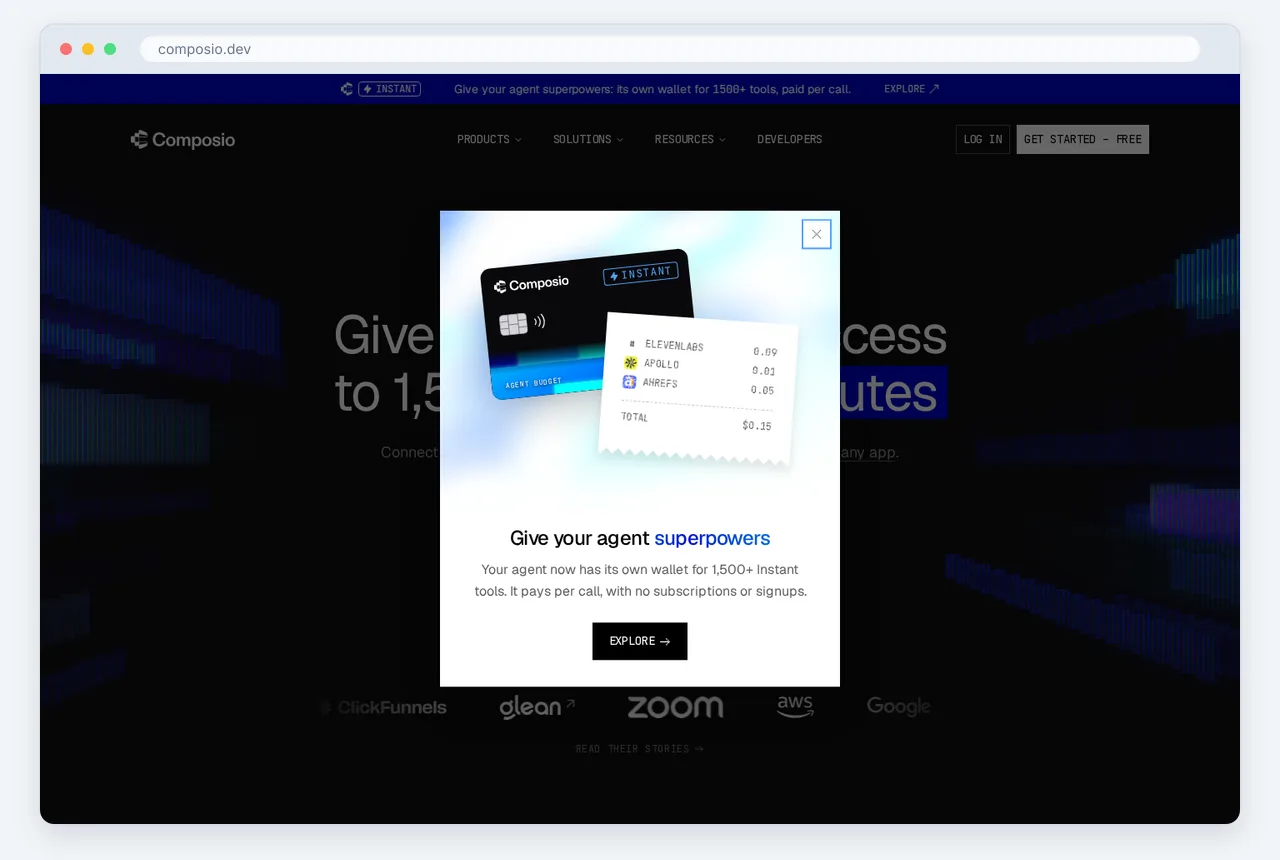
The technical advantage of this approach lies in its consolidation of credentials and schemas. By using this platform, Composio Connect covers Jira alongside 1,000 other apps through one connection, effectively removing the need to write custom integration code for every utility in the developer's toolkit. This single-connection architecture ensures that when a user grants access, they are not just enabling Jira, but are unlocking the ability for their AI models to cross-reference tickets with documentation in Notion, communications in Slack, or code repositories in GitHub through a standardized interface.
Practical implementation follows a direct path: once the initial connection is established, the MCP server can execute complex queries across the Jira environment immediately. For example, a developer can instruct an agent to retrieve data from specific project structures, such as when the current sprint can be queried on board 67 to assess workload distribution. Because the server treats Jira as one node in a larger network of over 1,000 supported applications, the agent can take the output from that query and immediately use it to update a spreadsheet or generate a report in a different application without requiring a secondary authentication handshake or a new set of environment variables.
Choosing this unified path reduces the "integration tax" that typically slows down the deployment of AI-driven project management. Instead of building a siloed Jira bot, the professional user builds a cross-functional agent that views Jira as a primary data source among many. This setup ensures that as the organization’s tech stack evolves, adding a new tool to the workflow remains a matter of selection rather than a new engineering project. By centralizing the execution layer, the bottleneck of managing a thousand different application interfaces is replaced by a single, scalable gateway that prioritizes workflow continuity over manual configuration.
#Enterprise gateways solve the security-at-scale problem
Shift the focus from local developer configurations to centralized governance to address the primary concern of the modern CISO: unmonitored agent access. While local MCP servers facilitate individual productivity, they often grant autonomous agents broad read/write permissions to Jira without organizational oversight. The Mintive Gateway solves this by providing a unified entry point for all Model Context Protocol requests. This architecture replaces fragmented API key management with a governed layer where permissions are audited and enforced at the infrastructure level rather than the individual client level.
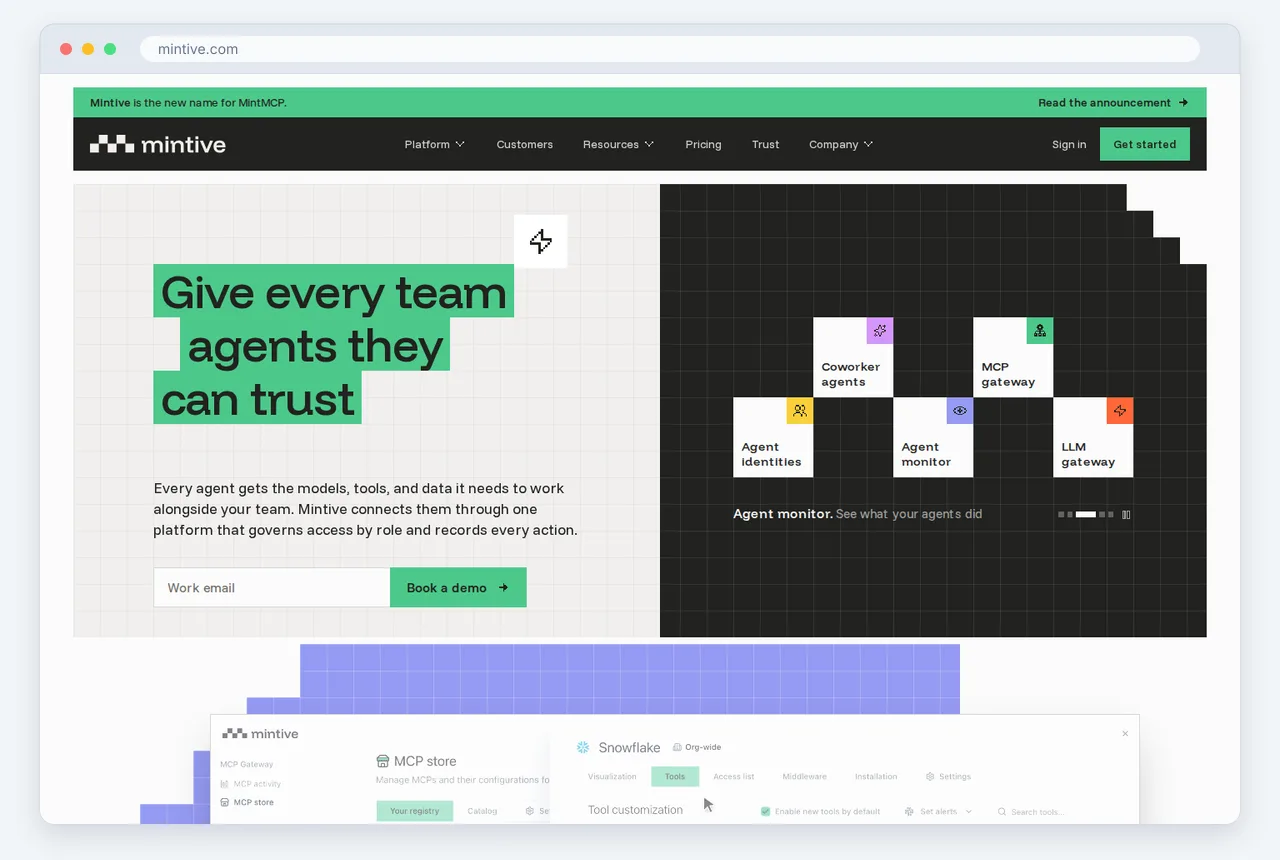
Compare the available solutions using specialized resources. This guide to Jira MCP gateways evaluates six MCP gateways that address challenges for Jira integration, highlighting how enterprise-grade tools differ from standard scripts. By using a dedicated gateway, administrators implement granular access control, ensuring that an AI agent tasked with summarizing tickets cannot also delete project boards or modify sensitive user permissions. This level of control is essential for maintaining compliance, where Jira serves as a critical source of truth for engineering workflows and data integrity.
Deploy Kong AI Gateway to use existing API management infrastructure for agentic workflows. This solution integrates MCP server management into the standard DevOps lifecycle, offering features like request transformation, logging, and rate limiting specifically tailored for LLM-driven traffic. By treating the MCP server as a managed API, security teams can inspect the prompts and responses flowing between the agent and Jira. This visibility prevents data exfiltration and ensures that the Jira integration adheres to internal security policies without requiring custom-built middleware for every new agent added to the stack.
Implement these gateways by starting with defined security parameters before scaling to the entire department. For technical teams ready to move beyond theoretical planning, follow the SkillGild for AI Agents: CLI & MCP Setup to establish the initial connection and verify tool-calling capabilities. Once the basic communication channel is verified, migrate the configuration to a gateway-managed environment. This transition ensures that the journey from a pilot project to a production-ready Jira integration remains secure, scalable, and fully observable by the security operations center.
#Native IDE integrations via Claude Code and Cursor
Define the server within the tool's configuration file to connect an MCP server to Claude Code. This file is typically located in your local settings directory. Point the CLI or the desktop application to the specific Jira MCP executable and provide environment variables like the Atlassian API token and site URL. Once initialized, the tool maintains a persistent connection. This allows the language model to call specific Jira tools, including searching issues, creating comments, or transitioning tickets, directly through the terminal or chat interface.

Configure the MCP settings within VS Code or Cursor to move integration from command-line arguments to the editor's sidebar or inline chat. This setup allows the IDE to pull Jira ticket data into the active coding session contextually. You can highlight a block of code and ask the model to summarize the related bug report without switching windows. The model retrieves the ticket description and comments by using the MCP server as a secure bridge to the Jira Cloud or Data Center instance.
Query project management data using natural language. Instead of navigating the Jira web interface, use prompts like "Show me the acceptance criteria for JIRA-123" or "List all open tickets assigned to me in the current sprint." The MCP server translates these requests into API calls and returns structured data for the model to parse into a readable format. For a deeper technical breakdown of specific implementations, the guide on Best MCP Servers for Claude Code (2026) provides a look at performance and configuration nuances across different server types.
Select an integration path based on your team's specific workflow requirements. While GitHub Copilot offers its own ecosystem for extensions, the Model Context Protocol provides a standardized way to plug Jira data into any compatible client. This interoperability ensures that the underlying Jira MCP server configuration remains portable if a team moves between IDEs. You can then use the model as an agent to update ticket statuses or add work logs based on the code changes it just helped implement.
| Option | Best for | Strongest point | Main trade-off |
|---|---|---|---|
| Claude Code | Terminal-heavy workflows | Speed of execution | No graphical interface |
| GitHub Copilot | Enterprise teams | Seamless GitHub ecosystem | Slower adoption of open MCP standards |
| Jira Context MCP Server | Deep ticket analysis | High contextual relevance | Requires manual resource mapping |
| Model Context Protocol | Future-proofing stacks | Universal client support | Initial learning curve for protocol specs |
| Jira MCP | Basic task management | Lightweight installation | Limited support for custom fields |
| Composio | Complex automation | Extensive action library | Subscription costs (confirm on vendor page) |
| Atlassian MCP Server | Official compliance | Direct vendor support | Conservative feature rollout |
| VS Code | Generalist developers | Massive extension library | Heavy local resource consumption |
| Mintive Gateway | Secure environments | Centralized access control | Potential connection latency |
| MCP Manager | Managing multiple servers | User-friendly dashboard | Additional dependency to maintain |
#Standardize your stack with the Model Context Protocol
Adopt the Model Context Protocol (MCP) to integrate Jira with AI. Use MCP as a universal interface instead of building custom connectors for every new large language model or internal tool. This standardization keeps a Jira server implementation functional even as underlying AI models evolve. Focus on the protocol rather than a specific proprietary API to maintain a modular architecture. This approach allows you to upgrade or replace components without disrupting existing workflows.
Prevent vendor lock-in by using a standardized protocol, which is a critical risk in the rapidly shifting AI market of 2026. Retain the freedom to switch between different model providers or hosting environments by committing to an MCP-compliant Jira server. The protocol acts as a translation layer, so the specific way an agent queries a Jira issue or updates a sprint remains consistent regardless of whether the backend is a local open-source model or a commercial cloud service. This decoupling allows the technical stack to adapt to new pricing structures or security requirements without requiring a total rewrite of integration code.
Document your Jira workflows within a SKILL.md file to maximize portability. Use this document as a structured definition of the specific tasks the AI is authorized to perform, such as transitioning tickets to a "Ready for Review" status or summarizing backlog priority. Create a portable blueprint that any MCP server can interpret by maintaining these definitions in a standardized Markdown format. This practice ensures that the logic governing Jira interactions resides with the team’s own documentation, rather than being buried in a provider's proprietary configuration menu.
Implement these standardized skills to enable rapid scaling across different departments. Share and version-control a well-defined SKILL.md for Jira to ensure every agent across the organization follows the same governance rules and operational procedures. Explore Skill collections to find a starting point for more complex integrations and expand your library of pre-configured workflows. The value of an MCP server lies in its adherence to a standard that protects long-term technical investments, not just its current features.
#Frequently asked questions
#How do I connect Jira MCP to Claude Code?
Install the Jira MCP server via the Claude CLI using the mcp install command or by manually adding the server executable path to your claude_desktop_config.json file. You must provide your Jira URL and API token as environment variables during the configuration process. Once the server is linked, Claude Code can query issues and post comments directly through your terminal.
#What is the best MCP gateway for Jira?
Composio is the highest-rated MCP gateway for Jira because it resolves the workflow bottleneck associated with managing hundreds of individual application integrations. It provides a managed environment that replaces local scripts with a centralized, secure infrastructure for enterprise-scale AI operations. This platform is the preferred choice for teams that require high reliability and standardized security protocols.
#Can I use GitHub Copilot with an Atlassian MCP server?
You can use GitHub Copilot with an Atlassian MCP server by employing an MCP-to-Extension bridge or a compatible IDE plugin that supports the protocol. While Copilot traditionally relies on its own extension ecosystem, 2026 updates allow it to ingest context from standardized MCP endpoints. This configuration enables Copilot to reference Jira ticket data while you generate code in your editor.
#Are there free MCP servers for Jira integration?
Free, open-source MCP servers for Jira are available through the Model Context Protocol community registry and various GitHub repositories. These community versions provide essential functions like reading and updating tickets without the recurring costs of a managed gateway. However, these free versions usually require manual setup and lack the advanced administrative controls found in commercial enterprise solutions.
#How do I fix authentication errors in Jira MCP servers?
Verify that your Atlassian API token is active and that your user account has the specific "Browse Projects" and "Edit Issues" permissions required for the integration. Check your configuration file to ensure the Jira base URL is formatted correctly and that environment variables are properly mapped to the server. If the connection fails, confirm that your network firewall allows outbound traffic to your Atlassian domain.
#Selecting Your MCP Server Architecture
Choose between local flexibility and centralized enterprise control to move from experimental scripts to a production-ready MCP server for Jira integration. This selection determines how LLM agents access project metadata and how much maintenance your team will face as the Model Context Protocol evolves. Evaluate your infrastructure using the following steps before you commit to a specific provider or self-hosted setup.

- Audit developer environments by identifying if you use native IDE integrations like Claude Code and Cursor or centralized web-based AI interfaces.
- Verify security requirements to see if your Jira instance requires the specific permissions, OAuth handling, and session management provided by managed enterprise gateways.
- Determine integration scope by selecting either a lightweight Jira-only server or a broad platform like Composio that handles hundreds of concurrent tool connections.
- Measure performance overhead by testing how the server parses Jira JSON schemas and custom fields relative to your model's context window.
- Analyze total cost by comparing the engineering hours required for open-source maintenance against the monthly fees of a managed MCP service.
Establishing a stable and secure connection to Jira is the final step toward a fully autonomous development lifecycle. For expert guidance on architecting your AI toolchain and securing your enterprise data, visit Skillgild to schedule a consultation.